Showing posts with label 2D Game Maker. Show all posts

10/30/12

Tululoo Game Maker - โปรแกรมสร้างเกม HTML5


บทนำ
มาอีกหนึ่งโปรแกรมขอรับกับโปรแกรมสร้างเกมโดยใช้ HTML5 โปรแกรมในลักษณะนี้กระผมก็เคยได้นำมาลงบ้างแล้ว เช่น Game Maker Studio , Construct 2 แต่โปรแกรมนี้พิเศษที่ มันฟรีขอรับ!!! ฟรีจริงๆ แถมยังใช้งานง่ายมากๆ เครื่องมือภายในโปรแกรมก็ครบครัน ทั้งแก้ไขภาพ ใส่เสียง ( รองรับ 3 นามสกุลด้วยนะเออ~ คือ .mp3,.wav และ .ogg สุดยอด~~~ ^w^b) ใส่แบ๊คกราว ฯลฯ ซึ่งก็พอที่จะสร้างเกมได้สบายๆเลยล่ะครับ และทั้งหมดที่กล่าวมานี้นั้นถูกรวมไว้ในโปรแกรมที่มีขนาดเพียง 1.26 Mb เท่านั้น ( เล็กจัง O[]O! ) สนกันรึยังเอ่ย~~~ ถ้างั้นเรามาดูกันเลยครับ

ความสามารถ/คุณลักษณะ
-สร้างเกมแบบ HTML 5 สำเร็จรูปพร้อมนำไปใช้งานได้ทันทีที่สร้าง ( HTML 5 สำเร็จรูป!!! งั้นก็เอาเกมขึ้น Facebook ได้ด้วยน่ะสิ!!!  โอ้ว แม่เจ้า~~~! TwTb )
-รองรับรูปนามสกุล .jpg , .png , .bmp
-รองรับไฟล์เสียง .mp3,.wav , .ogg
-ใช้การโค้ดโปรแกรมในการสร้างเกม
-รองรับและใช้โค้ดโปรแกรมในการสร้างเกมแบบเดียวกันกับโปรแกรม Game Maker 8 ขึ้นไป
-สามารถนำเข้าโค้ดสำเร็จรูปและส่วนเสริมอื่นๆจากภายนอกได้
-เป็นโปรแกรมแบบ portable สามารถนำไปใช้งานในทุกๆที่ได้
-และอื่นๆอีกหยิบย่อย ฮ่าๆๆ

ดาวน์โหลด
ในลิ้งก์จะมีให้ดาวน์โหลดอยู่ 2 ตัวนะครับ ตัวนึงสำหรับ windows อีกตัวนึงสำหรับ linux ครับ
http://www.tululoo.com/ - 1.26 Mb

ก็อีกตามเคยขอรับ ดาวน์โหลดเสร็จก็มารีวิวโปรแกรมกันเลย~~~~
อ่ะ แต่ก่อนจะรีวิวเราต้องมาดูวิธีลงกันก่อนสิครับ เหอๆๆ มาดูเลย ง่ายมาก!!!

หรือถ้ายังไม่แน่ใจอยากจะลองเล่นเกมจากโปรแกรมนี้ก็ตามลิ้งก์นี้ครับ
-http://percsich.hu/TululooGames/platformer/index.html - เกมที่ทางเราทดสอบเล่นกัน
หรือคลิกที่ http://www.tululoo.com/  แล้วกด Play ที่ใต้ภาพเคลื่อนไหวจะเข้าสู่หน้าให้เลือกเกมเล่นเช่นกันครับ

เึครดิต ( Credit )
-http://www.tululoo.com/

วิธีลงโปรแกรม


ขั้นแรกหลังจากที่เราได้โหลดโปรแกรมเสร็จแล้วเราจะไฟล์ชื่อ tutuloo129.zip ให้คลิกขวาที่ไฟล์แล้วคลิกเลือก Extract Here ได้เลยครับ จะได้โฟลเดอร์ที่ชื่อ Tutuloo Game Maker 1.2.9 มา


แค่นี้ก็เสร็จแล้วล่ะครับ ( ง่ายมากเลยใช่ม๊า~~ :D ) เข้าโปรแกรมที่ Tutuloo Game Maker.exe ได้เลยครับ
แต่สำหรับใครที่อยากสร้างส่วนเสริมหรือที่เรียกว่า extension สามารถเข้าไปสร้างได้ที่ Extension Maker.exe ได้เลยครับ

ลงเสร็จแล้วก็มารีวิวโปรแกรมกันได้เลยครับ

รีวิวโปรแกรม


หน้าตาโปรแกรมขอรับ ดูเรียบง่ายมาก มือใหม่ก็เข้าใจได้ไม่ยากครับ


นี้~~~ รูปแบบโค้ดครับเหมือน Game Maker 8 ใช่มั้ยล่ะครับ อ๋อ ใครที่ไม่เก่งโค้ดก็ลองดูที่ตัวอย่างที่ติดมากับโปรแกรมได้นะครับ


การสร้างห้องครับก็คล้ายๆกันกับ Game Maker อีกแล้ว ( รู้สึกหลังๆทำไมกระผมได้รีวิวแต่โปรแกรมที่คล้ายๆ Game Maker ล่ะเนี้ย = =" )

สร้างเกมแรกกัน
หลังจากที่ได้รีวิวโปรแกรมกันไปแล้วเราก็มาสร้างกันบ้างดีกว่าครับ


ขั้นแรกก็แน่นอนครับ เริ่มด้วยการนำเข้ารูปก่อนเลย ในที่นี้กระผมได้ใช้รูปแฮลิปคอมเตอร์ขอรับ ( พิมพ์ถูกมั้ยเนี้ย > <" )


ต่อไปก็สร้างอ๊อปเจกต์ขอรับ โดยในรูปกระผมก็ได้อยู่ที่การใส่โค้ดขอรับ สังเกตว่าลิตรายการคำสั่งจะมีลักษณะเหมือนกับโปรแกรม Game Maker เดะเลย


ต่อไปก็ต่อด้วยการสร้างฉากขอรับ โดยในที่ก็ได้ใส่ อ๊อปเจกต์ที่สร้างไปแล้วก็ ฉากหลังขอรับ ซึ่งก็ได้อย่างที่เห็น


นี้ๆๆ เริ่มทดสอบแล้ว~~~~  เล่นได้จริงๆด้วย

ฮ่าๆ สงสัยใช่มั้ยล่ะครับ ว่ากลายเป็นแบบนี้ได้ เพราะเกมที่ผมสร้างมันรันไม่ได้ ( อีกแล้ว ^w^" ) ผมเลยโหลดตัวอย่างที่ติดมากับโปรแกรมแล้วก็รันมาให้ทุกๆคนดูกันครับ

สร้างส่วนเสริมกัน
เอาล่ะ เราสร้างเกม เขียนสคริปกันไปแล้ว ส่งออกไปแล้ว แต่ใครมันจะสะดวกพกทั้งโปรเกจต์เกมเพียงแค่จะเอาแค่โค้ดภายในจริงมั้ยล่ะครับ เพื่อการนั้น ทางผู้สร้างโปรแกรมเค้าเลยได้ทำตัวสร้างส่วนเสริมที่ชื่อ Extension.exe ไว้ให้เราๆ ได้ใช้สร้างส่วนเสริมเพื่อพกพาหรือแจกจำหน่ายให้เพื่อนๆกันต่อไป มาดูวิธีการกันเลยครับ


เริ่มต้นก็รันตัวที่ชื่อ Extension.exe กันก่อนเลยขอรับ ก็จะมีหน้าต่างโปรแกรมขึ้นมาอย่างที่เห็น


ถึงตรงนี้ก็ให้เราๆใส่โค้ดที่ต้องการลงไปเลยครับ ในที่นี้กระผมได้นำโค้ดจากตัวอย่างเกมขอรับ ( ให้เครดิตแล้วนะคร้าบ~ในรูป ^v^ ) โดยส่วนด้านซ้ายมือจะมีรายละเอียดให้เรากรอกกัน ซึ่งรายละเอียดเหล่านี้จะถูกแสดงในโปรแกรม Tutuloo Game Maker อีกทีครับ


เสร็จแล้วก็ให้เรากด Ctrl+S หรือคลิกที่ File > Save หรือ Save As... ถ้าอยากสร้างเป็นตัวใหม่โดดๆนะครับ แล้วก็ตั้งชื่อให้ส่วนเสริมของเราครับ


ส่วนเสริมของเราจะอยู่ที่ Tululoo Game Maker x.x.x\Extensions ครับ ( x.x.x คือตัวเลขของเวอร์ชั่นโปรแกรมครับ ) อย่างที่เห็นครับ ส่วนเสริมของกระผมที่ส่งออกไปตามรูปที่แล้วชื่อ test.tex ก็จะอยู่ตรงนั้นครับ

10/11/12

Adventure Maker


Review
Adventure Maker ชื่อโปรแกรมก็ตรงมาก ฮ่าๆ ใช่ครับ โปรแกรมสร้างเกมแนวผจญภัยโดยเบื้องต้นนั้นเป็นโปรแกรมสร้างเกมผจญภัยแบบคลิกบนฉากเอาครับ ฮ่าๆ ซึ่งโปรแกรมนี้นั้นใช้งานง่ายมาก แถมรองรับถึง 4 planfrom ด้วยกันเลยครับ ( Windows , PSP , iPhone/iPod touch[landscape orientation] , iPhone/iPod touch[portrait orientation] ) โดยเมื่อเริ่มสร้างนั้น ก็เลือก planfrom ที่ต้องการ หลังจากนั้นเลือกภาพมาเป็นฉากแล้วทำการกำหนดจุด ( point ) ที่จะให้คลิก แล้วก็ทำการใส่ลูกเล่นเข้าไป เช่น คลิกแล้วแสดงข้อความ เกิดเสียง หรือ อาจจะใส่ตัวแปร ( สำหรับผู้ใช้ระดับสูงหรือเชี่ยวชาญในโปรแกรม )  โดยถ้าเก่งพอก็จะสามารถต่อยอดสร้างเกมแนวอื่นๆ ได้ด้วย เช่น เกมแนว 3D , เกมแบบมุมมอง 360 องศา , เกมแบบมุมมองบุคคลที่ 3 , ฯลฯ และเมื่อเราสร้างเสร็จแล้วเราสามารถที่จะ export ออกไปเป็นไฟล์ตาม planfrom ที่เราเลือกไว้ได้อีกด้วยขอรับ

System Requirements
-วินโดวน์ XP หรือสูงกว่า

Download

สำหรับตัวโปรแกรมนี้ก็ได้แบ่งออกเป็น 3 เวอร์ชั่นด้วยกัน ดังต่อไปนี้ขอรับ

Free Edition
เป็นเวอรชั่นที่ให้เราได้โหลดไปใช้กันฟรีๆ ขอรับ แต่จำักัดบางฟังก์ชั่นไว้ต้องซื้อลิขสิทธิ์มาเพื่อทำให้เป็นเวอร์ชั่นเต็มครับ

เมือคลิกลิ้งก์แล้วจะมีอยู่ 2 เวอร์ชั่นให้เลือกอีกที แยกเป็นเวอร์ชั่นสำหรับ windows 7 กับ windows xp ซึ่งก็จะมี 2 ลิ้งก์ให้โหลดอีกที เลือกตามต้องการนะครับ

Full Version - Non commercial use - 99$ ( ปัจจุบันลด 30% เหลือ 69$ )
สำหรับลิขสิทธิ์เวอร์ชั่นเต็มตัวนี้ไว้สำหรับใครที่ไม่จะใช้ภายในองค์กรหรือหน่วยงานอะไร ( ง่ายๆก็ใช้ส่วนตัวอ่ะนะครับ ) เวอร์ชั่นนี้ราคาก็จะถูกหน่อยนึง ( เมื่อเทียบอีกเวอร์ชั่น  )

Full Version - Commercial use - 199$ ( ปัจจุบันลด 30% เหลือ 139$ )
สำหรับลิขสิทธิ์เวอร์ชั่นเต็มตัวนี้ก็ไว้สำหรับภายในองค์กรต่างๆซึ่งลิขสิทธิ์ของตัวนี้จะต่างจากของอันก่อนคือ เมื่อซื้อลิขสิทธิ์มาแล้ว เราจะสามารถใช้ลิขสิทธิ์ตัวนั้นได้มากกว่าหนึ่งเครื่องนั้นเอง

Credit
owner : http://www.adventuremaker.com/

12/5/11

The Zombie engine

The Zombie engine


The Zombie engine is an open source game engine and framework based in The Nebula Device 2, the open source engine from Radon Labs. Developed by Tragnarion Studios, it is mainly oriented towards the creation of multiplayer PC action games.


Programming Languages: LuaPythonC++
License: BSD License

Repositories


Credit:http://sourceforge.net/projects/thezombieengine/

9/1/11

Wintermute Engine

About WME Wintermute Engine Development Kit is a set of tools for creating and running graphical “point&click” adventure games, both traditional 2D ones and modern 2.5D games (3D characters on 2D backgrounds). The kit includes the runtime interpreter (Wintermute Engine, or WME) and GUI editors for managing and creating the game content (WME tools) as well as the documentation, demonstrational data and prefabricated templates. Read more about WME features Download

8/15/11

VERGE


VERGE is a Game Creation Engine: A progam that exists to help you make games.

It was started in 1997 by Benjamin Eirich (aka vecna) and Brian Peterson (aka Hahn) to make 16-bit style RPGs akin to the Phantasy Star and Final Fantasy series.

Since then, it's been used to make pretty much any genre of game from the Super Nintendo / Genesis era.

Open Source
The current iteration of VERGE is open source under the BSD license. The repositories for it (and related projects) are as follows:

verge 3 - The main engine
psdmap - A tool to convert Adobe Photoshop image files into VERGE 3 maps.
maped2w - The previous version of the map editor, built in Allegro
v3 tiled - A set of tools for converting Verge 3 map and tileset formats into tiled-friendly formats, and vice-versa.

Downloads
Awesome Files
Current Engine
VERGE 3 Engine - for PC
VERGE 3 Engine - for Mac

Games to Start Off With
The Sully Chronicles (an RPG tech demo) - for Mac
The Sully Chronicles (an RPG tech demo) - for PC
Mademoiselle - A Unique Indie-style Platformer - for PC
Timeless - A Demoscene-style graphics demo - for PC
Lexico - A fascinating 2d immersive puzzle game demo - for PC

Development Tools
VOpenCHR (sprite editor)
psd2map (adobe photoshop map creation)
Maped 3 - a VERGE 3 Map Editor (windows only)

More Info:http://verge-rpg.com/docs/the-verge-3-manual/
Credit:http://www.verge-rpg.com/

8/11/11

ToonTalk

ToonTalk - Making programming child's play

Inside of ToonTalk's animated world you will build and run all sorts of computer programs. While learning how to program you will face challenging puzzles, express your creativity, learn new ways to solve problems, and have loads of fun!

TOONTALK IS NOW FREE!

ToonTalk 3 (US English) 126MB
Full product
Download

Small version (US English) 29MB
Small download version of the above with lower quality imagery. Automatically downloads additional functionality as needed
Download

Toontalk 3 (Swedish and US English) 179MB
Full product with both Swedish and US English options.
Download

Add full color high resolution images (for Small Trial or Beta) 60MB
Adds 24-bit color higher quality ToonTalk images(part of full version already)
Download

Add narrated demos (for Small Trial or Beta) 35MB
Adds ten narrated interactive demos (part of full version already)
Download

Add Playground files (for Small Trial or Beta) 18MB
Adds ToonTalk games and gadgets created by the Playground Project(part of full version already)
Download

Patches
None currently

More Info:http://www.toontalk.com/English/infodesk.htm
Credit:http://www.toontalk.com/

ThinBASIC Adventure Builder


An Interactive Fiction & Text Adventure Maker For Windows 98/2k/Me/XP/Vista/7

Work in Progress: Interactive Fiction PC game for Windows called 'Emily's Dream'. A must for any fan of Wuthering Heights and the Brontes. Help Emily Bronte inside her Dream. Unravel the mysteries of the wild and untamed moors.
With full motion video clips of the Bronte countryside. Made with TAB.

DOWNLOAD TAB & DEMO GAMES
Version 60 (21 Jun 2011) HERE (thinBasic not required)
View History Change Log Here

More Info:http://tab.thinbasic.com/
Credit:http://tab.thinbasic.com/

7/30/11

StoryHarp

What is StoryHarp?

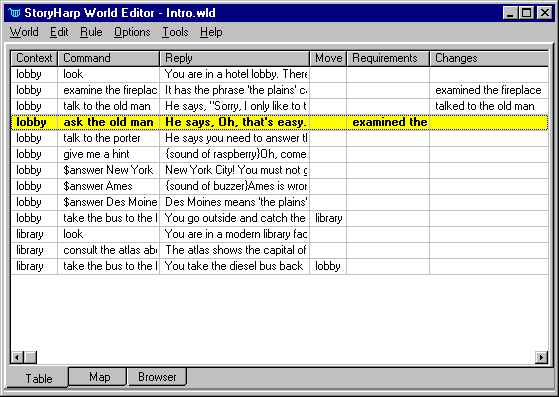
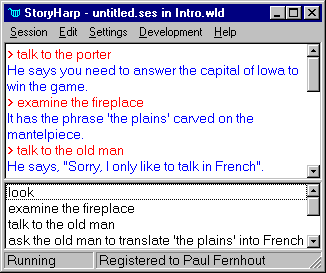
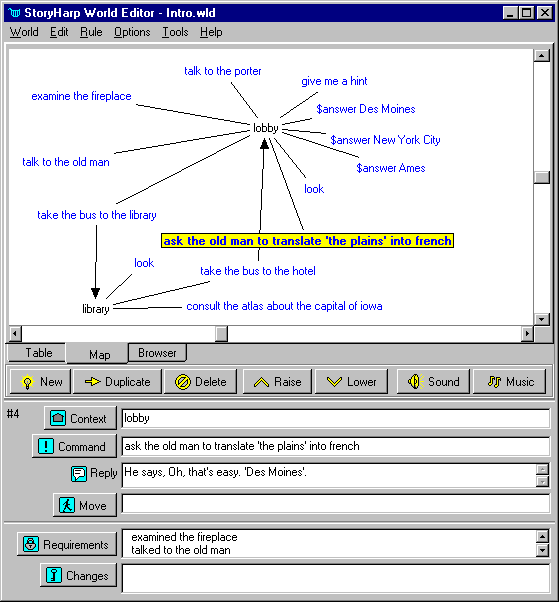
The StoryHarpTM Audioventure Authoring System adds the dimension of voice to interactive fiction development, harking back to the great story-telling traditions of old. The StoryHarp player uses speech, sounds and music to talk to you -- and you play the "audioventure" simply by talking back! Once the audioventure starts, you can turn off your monitor and turn on your imagination.

Downloads

An updated download list with links to zip files instead of exe installers for later versions of Windows can be found here.

Download problems? Consult our download/install help page if you are not sure how to download and install these files, or if you have trouble during download or installation.

StoryHarp 1.32
For more information on StoryHarp including system requirements, see the StoryHarp product area. For new version changes see the change list.

Use of the StoryHarp software is subject to a license agreement and U.S. and international copyright laws. By downloading this package you demonstrate that you agree to this license. Please read it before downloading. A copy of it is also included as license.txt in the StoryHarp download package.

This installation package will install a fully-functional evaluation copy of StoryHarp 1.32. It installs 1.5 MB of files. To be safe you should have at least 5 MB of free hard disk space before downloading.

download StoryHarp (kfsh132.exe: 1,034,648 bytes)

Note: Using text-to-speech and voice recognition with StoryHarp requires Microsoft Agent. See our Microsoft Agent page for details and download links.

More info:http://www.kurtz-fernhout.com/StoryHarp/index.htm
Credit:http://www.kurtz-fernhout.com/StoryHarp/index.htm

SS


7/22/11

RuneSword

Independent computer game developers are alive and well. CrossCut Games, Inc. (a name taken from Dan's tool shed) incorporated in 2001, but as a development group, we've been creating games since 1983. Back then, we were known as Commonwealth Software (a name taken off an insurance company sign while traveling around Bloomington, Indiana) consisting of three people: Dan Schnake, Adam West and Dale King. Over the years, others came and went while we made a few games (some too embarrassing to publish) and generally muddled along. Many things have changed, but we're still here.

Today we're even smaller (Dale left for greener pastures), but perhaps better suited for indie game development. We have full time jobs, full time families and full time lives outside of CrossCut. Through the few games we've published, we're making just enough money to support a web site and maybe a little extra to buy a few goodies for our next game. We have a wealth of experience, a wild set of development styles, a host of high-tech tools and a few gray hairs. Game creation is fun.

It's our goal to be a maker of "great games against the grain". Hence, we're truly CrossCut. Thanks for giving us the chance to live our hobby.

Download
This is all you need to play the game and make your own adventures. Download RuneSword and get to the fun!

File size is 17.7 Mb (18,567,463 bytes).

RuneSword v1.0.4 (File Planet)
RuneSword v1.0.4 (CrossCut Games)

Several final bugs were fixed and some new features added in the final patch. You have to install RuneSword v1.0.4 for this patch to work.

File size is 3.4 Mb (3,602,884 bytes)

Patch v1.0.5 (CrossCut Games)

Credit:http://www.runesword.com

SS


RPG Toolkit Development System


It takes minutes to get started with the RPG Toolkit! Simply download the installation package and within no time you'll be building your dream gameworld for your friends and the community to play.

download(7.1mb)

Requires 50mb of free space and running Windows XP/Vista/7

If you have any problems installing or running the RPG Toolkit, please refer to our FAQ page.

Credit:http://rpgtoolkit.net

7/14/11

Quest

Quest
Create your own text adventure games, free
Quest brings 1980′s-style text adventure games up to date. Now you can create your own exciting text adventure, even including graphics and sounds. And you don’t need to know how to program.


for Windows 7, Windows Vista or Windows XP

Credit:http://www.textadventures.co.uk/quest/

SS


7/12/11

QML-Quest Markup Language

What is QML?
QML, the Quest Markup Language, is a free XML-based Choose-Your-Own-Adventure game system. Adventures can have images, sound, states to check, random events and much more.

How can I create quests?
You can write them in a simple text file or use the free QML-Edit software. There is not necessarily programming involved, and quests can be written in a very intuitive and easy fashion. (More downloads...)

How can I distribute files?
QML quests run in the Internet Explorer 5+ browser. And if you have an Apache or Windows server, you can have them be played on any browser, even make them accessible by text-to-speech clients, or mobile phones!

contact at info@questml.com.

Downloads

(This software is provided "as-is" and I can't make any guarantees in regards to its stability or workings or side-effects... please use on your own risk.)

QML-Edit2 Setup 7MB
The installation files. Includes the complete QML Package and Syntax help. Note: for the newest executable, please update with package below.
MSXML4 needs to be installed.

QML2 Package 675KB
Includes tools, sample adventures, all scripts and the syntax-help. This is the most recent version but does not come with any installation routine.

QML-Edit2 source 96KB
The Visual Basic 6 project source. If you have suggestions regarding the editor, please tell me.

History
2.07 (September 2007)

A bug fix for the PHP5 version (the old version didn't load correctly).
2.06 (February 2006, plus small bugfix in July, and December 2006)

A new PHP5-specific version has been added. This one uses PHP's native XML library for better performance. (The PHP4 script is included but will not be updated anymore.)

QML-Package [Latest QML Package]

2.05 (January 2006)

Updated the PHP version. Now supports PHP5, a more recent XPath library, some bugfixes with long choices, as well as user cheating prevention. Thanks to Andre Schroeter for help on PHP5 issues.

QML-Package

2.048

Bugfixes and optimizations for QML-input in the VB client-side interpreter.

QML-Package

2.0

Refer to What's New in QML2 for an overview of changes.

QML-Edit Installation [Latest Setup]
QML-Edit Source [Latest QML-Edit Source]
QML-Package

Credit:QML, QML-Edit and questml.com are created by (Philipp Lenssen).
http://questml.com

SS


7/8/11

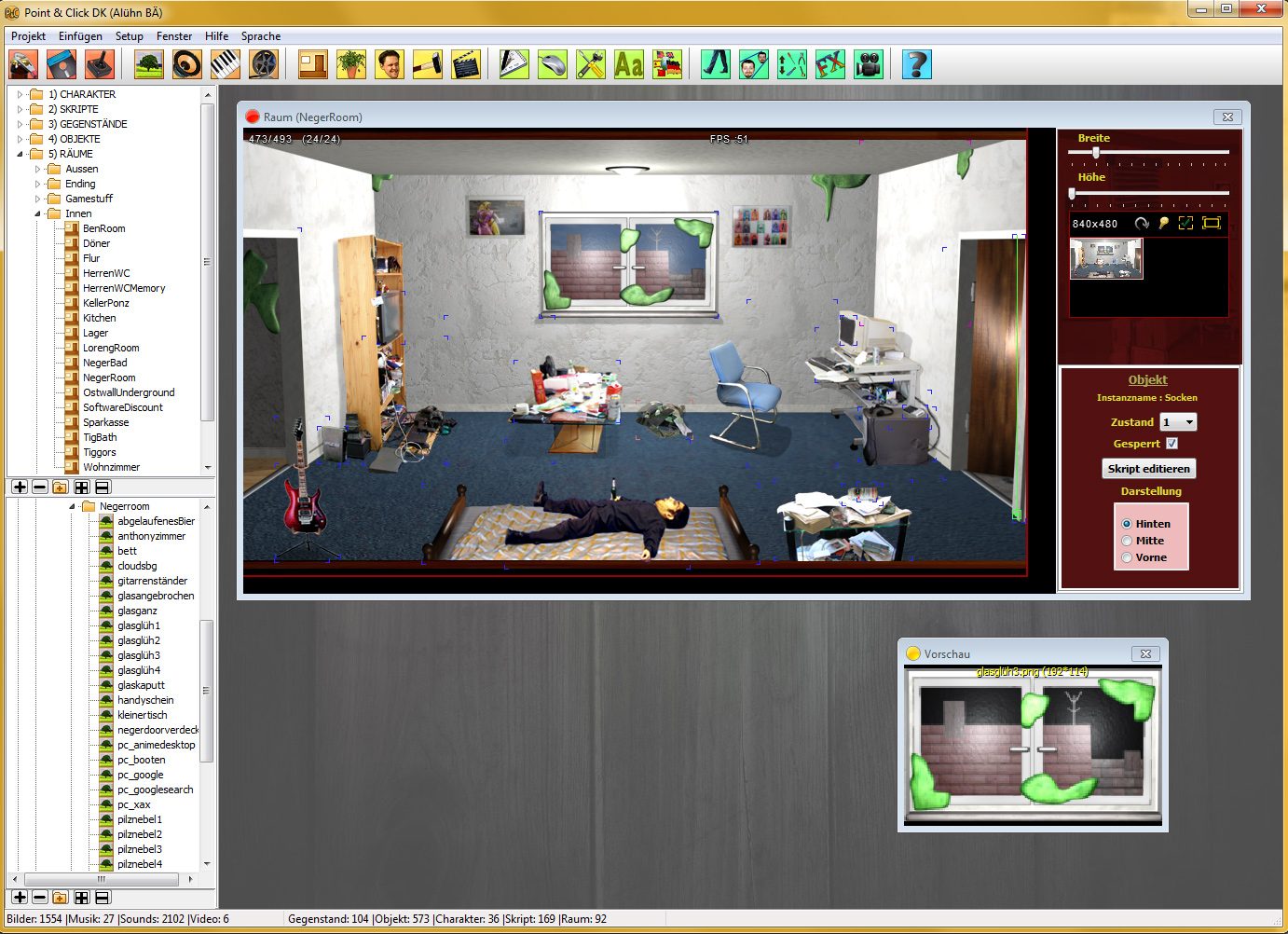
Point & Click Developers Kit

Das Point & Click Development Kit
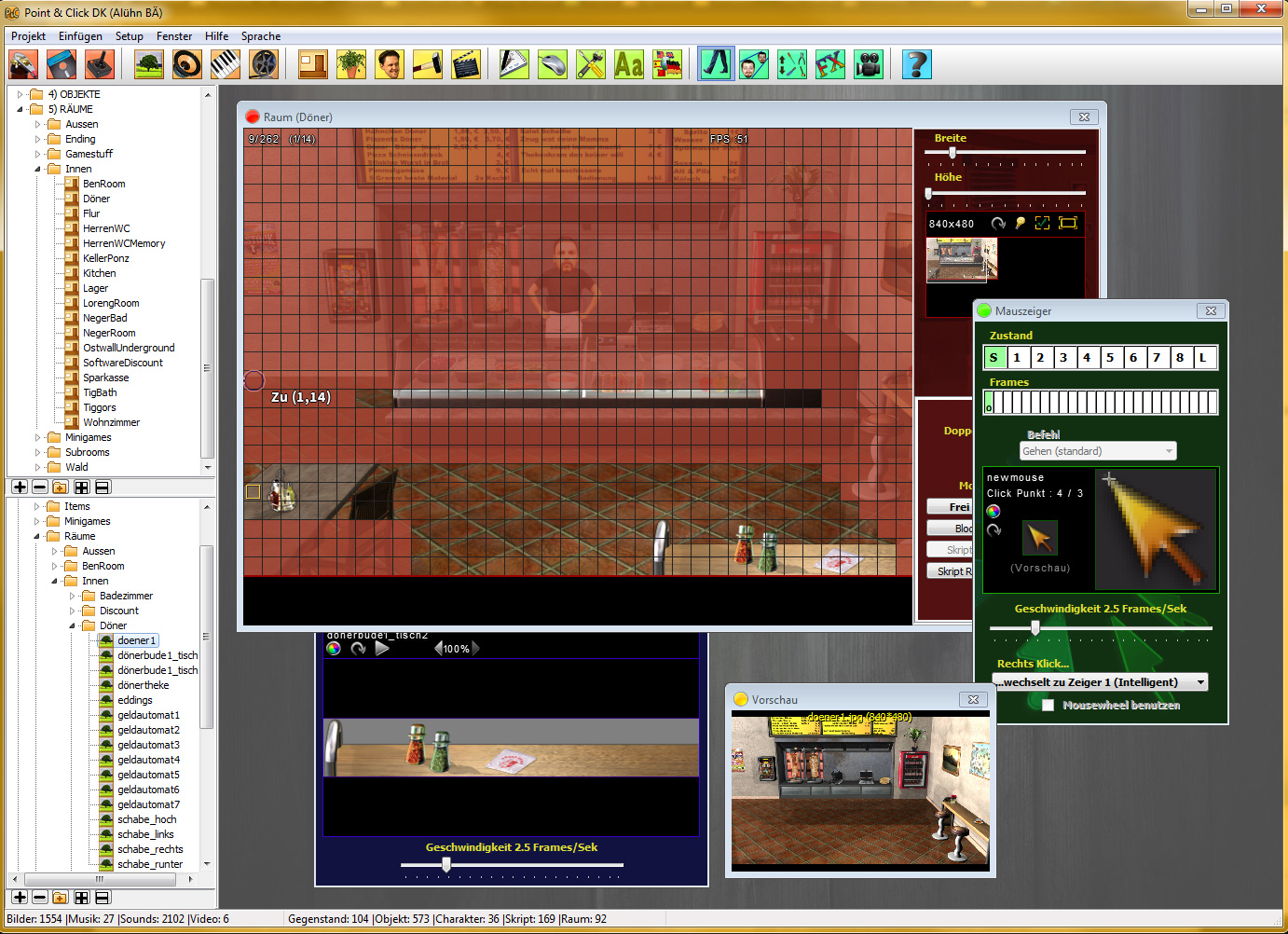
Der Point&Click DK Editor ist ein GameCreator zum erstellen guter alter 2D Adventures, wie sie heute leider etwas selten geworden sind. Ihr habt die Möglichkeit Games mit bei nahe allen Elementen alter bekannter Adventure wie ZakMcKrackon oder Sam&Max zu erstellen. Darüber hinaus seid ihr aber nicht an alte Regeln gebunden und könnt versuchen innovativere Sachen zu gestalten.

Download Version 2.9.6 Ältere Version 2.9.5a

Features :
- Auflösungen : 320x200, 320x240, 640x480, 800x600, 1024x768 (Braucht hohe Desktopauflösung!).
- Großer Format Support : Bmp, Jpg, Gif, Png, Wav, Avi, Mpg, Wmv, Swf, Mp3, Ogg, und alle Formen von Modules.
- Alpha- und Additive-Blending Effekte.
- Umfangreiches Skriptsystem.
- Skripthilfe und Autovervollständigung.
- Vielfältige Möglichkeiten zur Steuerung eines Adventures.
- Produziert eigenständige Spiele für die der Editor nicht gebraucht wird.
- Natürlich Sprachausgabefähig.
- Kann auch für Spiele benutzt werden die eher in der Form von Myst ablaufen, ohne Character.
- EAX Effekte für die Soundausgabe.
- Multiple Choice Textszenen mit Textzeilen oder Symbolen.
- Partikel Effekte.
- Fullscreen Special FX.
- FX-Shapes (für Spiegel usw.)
- Sprachtools zum einfachen hinzufügen von Sprachen für ein Adventure.

Der Editor und die Engine sind und bleiben Freeware und dürfen NUR zum Erstellen von Freewaregames verwendet werden.
Author des Programms: Zimond (Ben Maas)


Der Point&Click Editor und das Demo Adventure sind gemacht mit den Komponenten :
Asphyre Extreme
BASS 2.0
Delphi Zip
SynEdit

Credit:http://www.adventure-creator.com/index.html%3flg=e

SS


7/7/11

playbasic


PlayBasic is a windows based programming language designed for 2D video game creation, and incorporates over 25 years experience in the video game programming field. Our aim is to create a game programming language that gives new programmers the flexibility and feature set for rapid game development, without the complexity or cost. So everybody can experience the challenge of game programming again!

Since PlayBasic focues upon making video games, it provides a wealth of graphical features at your finger tips. Ranging from Mapping (Creating worlds), Sprites, Image effects, Cameras, Vector Shapes, Polygons (Texture Mapping) through to a full set of traditional 2D vector art (Dots / lines / Circles, Boxes etc


Downloads

The PlayBasic Learning Edition is a simplified version of the full PlayBasic Retail package. This edition is available FREE and is aimed at users wanting to learn 2D game programming without the constraints of time limits.

PlayBasic Learning Edition V1.64L (9918 kb)
(Win 98, WinME, 2000, WinXP, Win2003, Vista & Win7 compatible)


System Compatibility Tester

PlayBasic requires your computer have DirectX9 installed. The compatibility tester is for those people who are not sure what DirectX they currently have installed. If you're running Windows Vista or Windows 7 operating systems, then you may need to DirectX9 also. But use the checker first ! Download System Compatibility Tester (95 kb)


Example Packs

The following files are various editions of the example pack that comes with PlayBasic Demo/Learning Editions. If you've damaged your project files and need to replace them, you can download them separately from here. The games & demo in the pack have changed over years, so the older versions are available here for the curious.

Project Pack V1.64L (Learning Edition & Retail Edition)
Project Pack V1.63 (LE)
Project Pack V1.63
Project Pack V1.61
Project Pack V1.49
Project Pack V1.33

Credit:http://www.playbasic.com

6/29/11

O.H.R.RPG.C.E

The O.H.R.RPG.C.E version zenzizenzic (released May 6 2011)
Includes the game Vikings of Midgard


Windows
Download Windows Installer (Installation instructions)
Download full ZIP file
Download minimalist ZIP file (for people with slow intertubes)
Mac OS X (Intel Macs only)
Download Mac OS X app
Linux (Linux Notes)
Download Linux binary tarball
Debian + Ubuntu packages
All
Download Source Code
Download Games
What's New? | System Requirements | Bug Reporting | Older Versions


Latest Nightly Version


Nightly builds are those built automatically each night. They will contain the absolute latest features, but they are not considered stable. In addition, they only contain the binaries (the programs themselves), so you need a stable version (above) to get a full package. There are multiple different executables, each one for a different set of backends. Read the included readme file to understand the differences between the different backend versions.
Please always read IMPORTANT-nightly.txt after downloading -- it's for your own safety!
If you decide to edit your game using a nightly build, the file format will be updated. Don't try to take your updated RPG file back to the older stable editor, because the stable version of the editor will not be able to fully understand the newer file format
Nightly OHRRPGCE version (WIP) Windows Installer
Nightly OHRRPGCE version (WIP) Windows plain zip file
Nightly OHRRPGCE alternate backends, Linux binaries, other utilities
Nightly HSPEAK
Nightly Plotscripting Dictionary
If you spot a bug in a nightly, please let us know by filing a bug report.

Resources

Where can I find music?
Where can I find sound effects?
Where can I find graphics?

Additional Utilities

Music Utilities
Graphics Utilities
Plotscripting Tools
Miscellaneous Tools

Source Code

Source Code
The source code for the OHRRPGCE is available under the GPL license. You only need this if you are a programmer with a high tolerance for messy code (or if you are just really curious)

SS


Credit: http://hamsterrepublic.com/ohrrpgce/Main_Page.html

My Adventure Game

เนื่องจากไม่มีรูปและวิดีโอ จึงไม่มีตัวอย่างให้ครับ ไว้เดียวผมจะสกรีนซอร์ดมาให้นะครับ

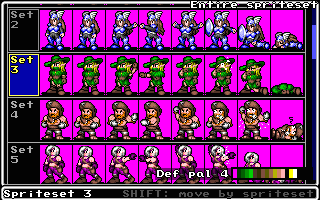
My Adventure Game
A simple tool for creating graphic adventure games in Monkey Island style. You can import scenery, characters and write scripts. This program supports JPG and Bitmap images for characters and backgrounds that can be designed with a graphic program. It also supports videos in MPEG and AVI format. You don't need to know know any programing languages to use this program. 6,88 MB. Freeware for Windows 98/ME/2000/XP. Requires 500 MHZ processor, 64 MB of Ram, DIrect X 7.0 or above and a video card with a millioni colors.
212.110.12.26/download/1/MyAgSetup.exe


My Adventure Game Guide
A guide on how to make the most of the My Adventure Game program. Detailed instructions. 641 KB.
212.110.12.26/download/1/MyAdventureGame_Help.zip


My Adventure Game Samples
A Zipped file with some graphic adventure samples created with My Adventure Game. You can analyze each game to understand how it works, or download backgrounds and characters to use in your games. 5,40 MB.
212.110.12.26/download/1/MyAdventureGame_Sample.zip

Credit:http://www.mrfreefree.com/free_software/my_adventure_game.html
หมายเหตุสำหรับเครดิตนะครับ คือ เนื่องจากว่าที่ผมเจอนั้นมันเว็บที่รวบรวมลิง้ก์จากคำค้นหา ซึ่งผมไม่สามารถหาลิ้งก์เจ้าของจริงๆ จึงได้ให้ให้เครดิตเป็นลิ้งก์เว็บที่ผมเจอครับ

6/22/11

Kof 91

Introduction

KOF 91 (aka KOF Linux or FFE) is a 2D Game Engine like Street Fighter but everything is easily customizable so you can easily add characters & Backgrounds, etc or even make your own game. Read the docs for more precisions.

KOF 91 was first developed by Moah on Win32 in the early 98 (see http://www.kof91.com ). The linux version was developed by Duncan Mac-Vicar P. and Ric's Brain (who add patches before). There's a GP32 port made by Thor ( http://www.geocities.com/rtb7 ). Ric Leite still develop new features, under KOF2003 project (see centurion forces site for news) and a new OS independant version is still in developement (2004) by Laurent Dufour (zesensei) with new features.


SS


Credit:http://koflinux.sourceforge.net/

6/15/11

Hephaestus


Hephaestus

เหอๆๆ เจอโปรแกรมใหม่น่าสนใจ(จริงๆเจอตั้งนานแล้วแต่ไม่ได้นำเข้าสักที 555+) เป็นโปรแกรมสร้างเกมแบบง่ายๆ(น่าจะ อ่ะนะ) เหอๆ ดูจากรูปอ่ะครับ เอาเป็นว่ามาลองอ่านรายละเอียดเพิ่มเติม (ไม่ได้แปล 55) กันสักนิดดีกว่าครับ

Version 2.04, released 2010Mar18

Hephaestus is a freeware computer role-playing game construction kit (often called an "RPG maker"). A map editor is included, and scripting is done in the Java programming language. Hephaestus is written in Java, and therefore runs on every platform.

You've wanted to make your own computer role-playing game all your life. Hephaestus 2 makes it easier than ever to make any adventure you can imagine. Use your own art and sounds, or use the standard libraries. Make "static" maps with the map editor, or create your maps entirely with code - even making mazes and dungeons that are different every time you play. There's never been a better time to start writing your own CRPG!

Hephaestus 2 now includes the post-holocaust horror adventure, Umbra! After the Great Old Ones return to reclaim the Earth, the few survivors cower in towns hidden in the wilderness, or have given themselves over to madness and worship of inhuman gods. You start out alone and helpless, but can rise to strike back, and perhaps return Earth to humanity!

More Information:http://markdamonhughes.com/Hephaestus/troubleshooting.php

Download & Installation

You must have a 1024x768 display with 16-bit color depth or better, and the Java Runtime Environment (JRE), version 1.4 or later.

Linux: You can find the most current JRE at java.sun.com or a more Linux-specific version at Blackdown.org.
Windows: You can find it at java.sun.com.
MacOS X: You have JRE 1.6 already installed, but can find updated versions and support at developer.apple.com/java/.
There is no JRE 1.3 port for MacOS 9 or earlier, sorry. There's nothing I can do about Apple's abandonment of OS 9: "Apple has no plans to provide Java 2 on the Classic Mac OS" is their official statement; you'll have to upgrade to MacOS X.

Download hephaestus204.zip (2.7MB).
Unzip hephaestus.zip anywhere on your HD. It will create a directory named "Hephaestus2".
If you don't have a zip utility, try Info-Zip or WinZip.
Now start the game:

Unix:
Run ./heph.sh
Windows:
Run heph.bat
MacOS X:
Double-click on hephaestus.jar, or open a terminal window and run ./heph.sh
Other:
If you run Hephaestus on any other platform (BeOS, OS/2, etc.), let me know how you did it and how well it worked, and I'll add instructions for your platform.

Select "Open" from the "Game" menu, and pick "sample/sample.adv", or any other adventure (.adv file) you've downloaded or created. You should see something like the screenshot at the top of this page.
That's it! You're ready to play!

SS


Credit:http://markdamonhughes.com/Hephaestus/index.php

6/3/11

GTGE-GOLDEN T GAME ENGINE

GOLDEN T GAME ENGINE
Game Programming for Java Programmer


Introduction | Key Features | Requirements | Documentation | Download | Source Code | Miscellaneous

Introduction
Golden T Game Engine (GTGE) is an advanced cross-platform game programming library written in Java language.
GTGE library provides a complete routines for making 2D game from low level routines such as hardware accelerated 2D graphics, mouse and keyboard input, audio support, game timing, to game specific routines such as sprite, background, collision detection.

GTGE is a simple yet POWERFUL game engine that able to create a high quality 2D game in no time.
The primary goal is to develop a robust game programming library that is truly easy to use and develop with, that does all the dirty works that all modern games need to implement anyway, thus the game developer can concentrate on the gameplay instead of reinventing the wheel over and over again.

GTGE is a high level interface library, it means programmer never has to worry about any low level commands anymore. The only thing left for the programmer is use their imagination and start programming their game.
You don't have to know anything about managing graphics, input, and other low level stuff in Java. Instead you can start immediately develop your own game using the latest Java technology, such as bufferstrategy, volatile image, and even OpenGL easily. You can check out GTGE design standard simplicity, generic, and replacable.

More information:http://goldenstudios.or.id/products/GTGE/
Credit:http://goldenstudios.or.id/products/GTGE/

ZZT

ZZT
Epic Megagames, 2001

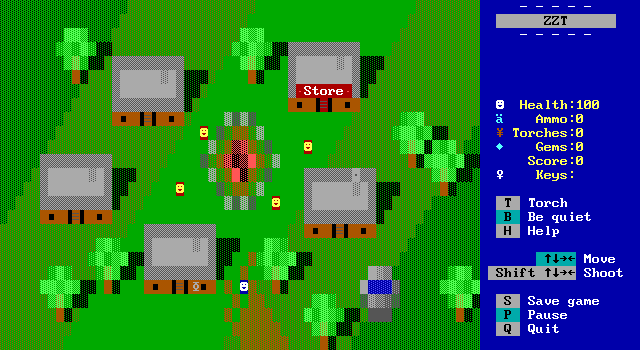
Before Epic Megagames (creators of the Unreal series) even became known as Epic Megagames, Tim Sweeney created this relatively simple GCS which served as the inspiration for Megazeux and resulted in over 100,000 registrations by users. That's not too shabby. Even though ZZT has been eclipsed by Megazeux in terms of usability, features, graphics, sound, etc., it is still wildly popular. Also, well over 1,000 ZZT games have been created, and hundreds are available on the net! ZZT will run on almost ANY computer, so if you're looking for games for your old clunker of a PC, try ZZT ... as I mentioned, there are 1,000's of created games available. (Note: Even though the game says 'Registered Version: Do not distribute', Epic has released the registered version for free.)

[Download] Click here to download ZZT (175k)
[Link1] Click here to download games made using ZZT
[Link2] Click here for a helpful "newbie's guide" to using ZZT!

SS

Credit:http://www.dosgames.com/g_gcs.php